




Are you still emailing each and every invoice, link, or document to your customers and hoping that they can keep up? If so, you probably need a client portal. When you have a good portal, your clients can book, pay, sign, upload, and message you from one place, without you having to chase emails or dig through your sent mail.
In this round-up, we’ll review what client portal software is, how to choose a good one, and what the best available solutions are. We’ll begin our review of the best client portal software with vcita as our #1 choice, because of its CRM, calendar, and payment system all combined into one solution that is geared towards small businesses.
Key points
- A client portal is a secure place where your clients can sign in to book, pay, share files, and message you.
- The most effective client portal solutions integrate communication, payments, calendar functions, and document sharing, rather than acting merely as a file-sharing tool.
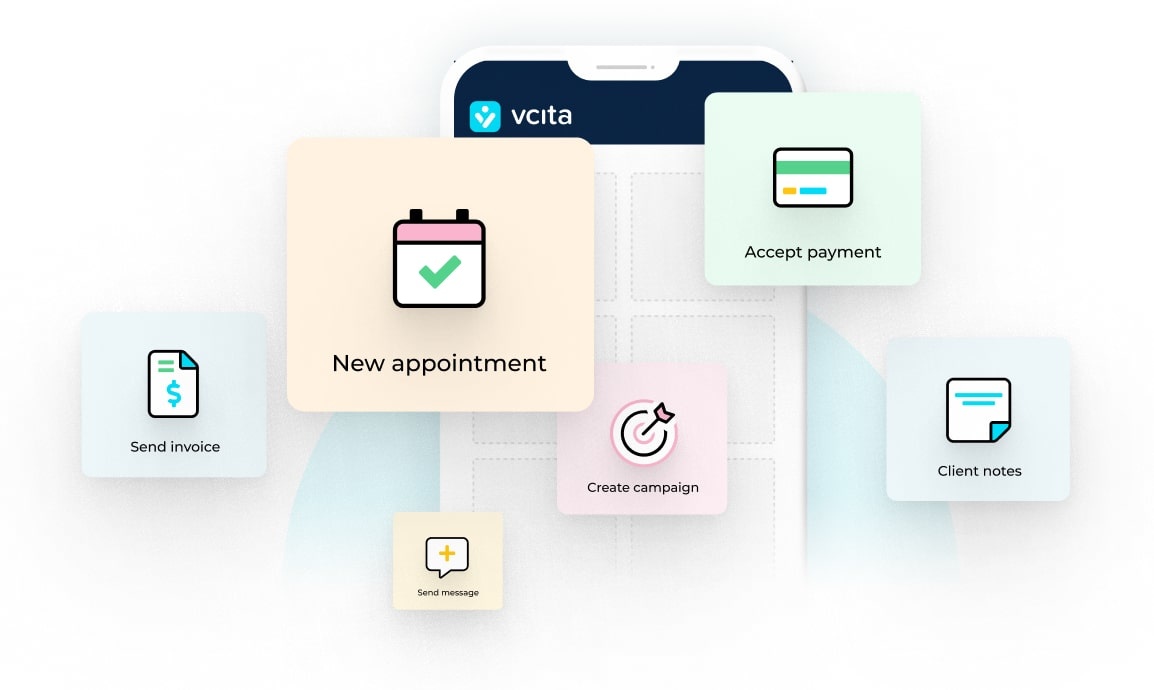
- vcita provides a customized client portal and CRM, along with calendar, payment, and AI-based solutions called BizAI.
- Your best option depends on your mode of operation: do you mainly offer recurring services, projects, or document-based work such as taxation or accounting?
What is client portal software?
Client portal software gives your clients a secure website or app where they can:
- Log in with their own credentials
- View upcoming appointments
- Book or reschedule services
- Pay invoices and review past payments
- Sign or download documents
- Send messages or questions
- See the status of projects or requests
This means that instead of sending one email with a link, another with a PDF, another one with an invoice, and then a reminder text, you send clients to one place to see them all. The portal becomes your hub for all ongoing work.
A good portal also ties into your CRM and payment tools, so nothing sits in a silo. For example, vcita links the portal to a full client record with communication history, bookings, and payments in one timeline.
Who needs a client portal?
You’ll get real value from a portal if:
- You sell services, not just one-off products.
- You have repeat work or long-running clients.
- You deal with documents (contracts, tax files, treatment plans, legal docs).
- You schedule sessions or meetings.
- You want a clear record of communication with each client.
Businesses that typically benefit from a client portal include:
- Coaches and consultants
- Accountants and tax professionals
- Therapists and wellness practitioners
- Marketing agencies and freelancers
- Lawyers and other professional services
- Home services that work by appointment
If you’ve ever had a client ask, “Can you resend that invoice?” you’ll probably find that a portal will help.
What to look for in the best client portal software
Here’s a quick list:
1. Ease of use
Your customers may not be tech-savvy. Make sure they can get into the platform, find what they’re after, and take the necessary actions without a lengthy tutorial.
2. Security
You’re handling private and financial information, so you must have:
- Encrypted connections (HTTPS)
- Access controls
- Transparent privacy policies and data handling practices
This is especially important for accounting, legal, or healthcare-related work.
3. Customized branding
Ideally, your portal interface resembles your business instead of looking like some random app. It should include your own custom logos, color schemes, and, if possible, a domain name or subdomain. vcita, SuiteDash, and Clinked all offer a customized or white-label experience to varying extents.
4. Core features
Small businesses require the following basic necessities:
- Scheduling and rescheduling
- Payments and online invoices
- Document sharing
- Messaging or secure chat
- Notifications and reminders
5. Automation & AI
Contemporary portals offer a lot more than a static login page and a messaging channel. They include automation and AI that can:
- Suggest responses to messages from customers
- Automatically fill CRM fields from conversations
- Create content such as emails, the description of a service, or estimates
- Deliver insights into client behavior and revenue trends
vcita’s BizAI is a case in point. It functions as a personal business assistant that integrates all your appointment-scheduling, payment, and customer information in one place.
6. Pricing structure
Look carefully at the pricing options. Check for:
- Per-user vs. per-business pricing
- Pricing limits for clients, projects, or storage
- Must-have features that are only for higher tiers
Client portal solutions can be anything from quite cheap to relatively expensive, depending on the number of functions that they include.
Best client portal software (ranked)
1. vcita – the absolute best all-in-one client portal solution for businesses offering a service
vcita is a business management platform built for small service-based businesses. It combines:
Instead of stitching together three or four tools, you run your work from one place.
Client portal features:
vcita’s client portal lets clients:
- Book or reschedule appointments
- Pay online and view payment history
- Share and access documents
- Send messages and questions
- Update customer details and preferences
You can fully brand the portal with your logo, colors, and style, and choose which actions to offer to clients. Clients can log in 24/7 from any device. Everything your clients do in the portal connects straight into their client card inside vcita’s CRM, meaning no double entryor copy-pasting from emails.
AI features (BizAI):
BizAI is vcita’s AI layer. It’s designed to help small businesses manage daily work and decisions without needing a data team. It can:
- Suggest replies to client messages
- Help you write service descriptions, emails, and marketing content
- Generate estimates and other documents based on your services
- Highlight patterns in bookings, payments, and client behavior
- Recommend next actions like following up with certain clients
vcita describes BizAI as “agentic AI,” which basically means it can handle tasks across your workflows while you stay in control.
Who vcita is best for
vcita is a good match for you if you:
- Own a small service-based business such as coaching, wellness, consulting, legal, or home-related services.
- Want one system to manage clients, the website portal, scheduling, and payments
- Like the idea of AI helping you respond faster and avoid manual work
- Value a tool that can grow along with you, rather than something you will grow out of in a year
If you’re sick of using a booking system, a payments system, and a basic CRM, vcita is the natural next step.
2. Agency Handy
Agency Handy is an all-in-one client portal software built for digital agencies and service-based teams. It focuses on managing clients, projects, billing, and communication from one place, with a strong emphasis on client portals and service-based workflows.
You can list services with pricing, onboard clients automatically, manage projects on a Kanban board, and handle invoices and subscriptions without relying on multiple tools.
Key strengths:
- Complete end-to-end white labeling
- Built-in CRM, communication, files, invoices, and feedback
- Service catalog with one-time and recurring pricing
- Kanban-based project and task management
- Automated invoicing with multiple payment options
Overall, Agency Handy is a good fit for agencies that sell productized services and manage ongoing client work.
3. SuiteDash
SuiteDash is a one-stop platform that is largely geared towards white-labeling client portals. You can host this platform on your own domain, design your own interface, and even develop custom dashboards for different types of clients.
Key strengths:
- Deep branding and white-label options
- Client-specific dashboards and menus
- Built-in CRM, billing, and project management
- Good fit for agencies and firms with many clients
It’s powerful, but the trade-off is setup time. Expect to spend more time upfront configuring everything.
4. Bonsai
Bonsai is popular with freelancers and small agencies that want a clean all-in-one workspace: proposals, contracts, time tracking, and invoicing.
Client portal capabilities:
Bonsai gives your clients a straightforward portal where they can:
- See project details
- Review and sign documents
- Check invoices and payments
- Track tasks or milestones
It’s less about heavy customization and more about a smooth, simple experience.
5. Clinked
Clinked is a client portal and collaboration platform used by agencies, consultants, and professional services. It focuses on secure workspaces where you and your clients can work together.
With Clinked you can:
- Create private workspaces for each client
- Share folders and files
- Manage tasks and discussions
- Chat with clients inside the portal
- Brand the experience with your logo and colors
If your work involves a lot of shared documents and comments back and forth, this style of portal makes sense.
6. SmartVault
SmartVault is centered on document security, sharing, and portals, particularly for accounting-related processes. It’s a good choice for companies that share a lot of sensitive documentation.
Typical use:
- Clients can upload their tax or financial statements to their portal
- Share final returns and reports
- Both sides maintain a long-term record from year to year
If you’re most interested in a safe, organized way to exchange documents, and you’re not necessarily looking for bells and whistles, SmartVault is good.
7. Foyer
Foyer is a newer portal platform that shows up in many 2025 “best client portal” lists. It focuses on clean client spaces where you can share files, track tasks, and manage collaboration.
It’s a good fit if you want something modern and flexible, but don’t need a full CRM or AI layer built in.
The best client portal software is the one that’s built for your business
There are many different good client portal solutions out there. Each one is best suited to a different type of business. In our experience, vcita’s all-in-one client portal is the best fit for service-based businesses that want to streamline their workflows with a portal that integrates with their other business tools.
FAQs about client portal software
1. Is client portal software safe for sensitive information?
Serious client portal tools use secure, encrypted connections and control who can see what. Many tools aimed at accountants and professional services are built with data protection baked in. Still, it’s smart to review each tool’s security page and check how they store data and backups.
2. Do I need technical skills to set up a client portal?
For most cloud tools, no. Portals like vcita are designed for small business owners, with simple setup flows and clearly labeled settings for branding, services, and client actions. More complex tools like SuiteDash give you deeper control but will take longer to configure.
3. How much does client portal software cost?
Most tools offer monthly subscriptions. Entry-level plans for small businesses often start somewhere in the $15–$50/month range, with more advanced plans for teams or larger firms. If you pick an all-in-one tool, it can replace several apps and end up cheaper overall.
4. Do I really need AI in my client portal?
You can run a portal without AI. But AI can help you:
- Answer clients faster with suggested replies
- Keep client records cleaner by pulling data from conversations
- Generate content like estimates, emails, and service descriptions
- Spot trends in bookings and payments you’d otherwise miss
If you’re doing everything yourself, that extra help can be a big time saver.
5. Why is vcita ranked #1 here?
vcita is ranked first because it offers more than “just a portal.” You get:
- A branded client portal
- An AI-powered CRM
- Online scheduling
- Payments and invoicing
- Built-in marketing tools
- BizAI as a business assistant on top of it all
For many small service businesses, that mix hits the sweet spot between power and simplicity.
Want more on client portals for small businesses?
Here are a few quick reads from the vcita blog if you want to keep exploring:
The benefits of client portals for small businesses
What your clients will love about vcita’s client portal
Must-have features in client portal software for accountants
Transform your law practice with client portals and automated appointments