




Until recently, only large corporations could afford AI technologies. But there’s good news for SMBs: AI tools are becoming more easily available for smaller businesses too. Research, including our own survey of 500 SMBs, reveals a surprising adoption rate for AI in customer services, marketing, and automation, even among micro-businesses, 33% are using AI, 39% intend to begin in 2026.
If you’re hesitating about implementing AI for your small service business, we can help you out. AI won’t mean replacing people with robots. For coaches, salons, consultants, wellness professionals, and similar service providers, AI takes the tedious, repetitive tasks off your plate, which helps you run your operation more smoothly, communicate better with clients, and grow without burning out.
This guide breaks down how to use AI in four primary areas of your operations:
- Marketing – more consistent, personalized campaigns
- CRM and client communication – Improved follow-through, reduced data entry
- Scheduling & operations – fewer no-shows, less back-and-forth communication
- Finance & billing – faster payments, clearer forecasts
We’ll keep things practical and nontechnical to show you weave AI into your workflows. We’ll refer a lot to platforms like vcita, which integrates AI into your everyday work.
What do we mean by “AI for small business operations”?
Let’s cut through the buzzwords with a basic definition. AI powers software that can recognize trends, predict what will come next, and create content. Small businesses might use AI for the following tasks:
- Developing an entire email or social media post from a brief prompt
- Summarizing an extensive communication from the client into bullets
- Recommending who to follow up with next
- Predicting the likelihood that clients will churn and/or make late payments
- Organizing unstructured text like messages and forms into data fields in your CRM
There’s no need to write the code yourself, either. Most modern tools offer AI through intuitive buttons such as ‘Generate,’ ‘Summarize,’ and ‘Suggest Next Action.’ In other words, AI is an extra brain sitting with you in your existing environment, assisting you in completing work tasks faster and more accurately.
The benefits (and limits) of using AI in a small business
Time savings on repetitive tasks
AI-powered tools can compose emails, create captions, summarize calls, and complete the fields in your CRM, slashing work that usually occupies your evening and weekend hours. Analysis and industry studies reveal that automation and AI technology save several hours in a week, even in a small team.
Better decisions, backed by data
AI can uncover trends and patterns you might overlook, such as the source of repeating bookings or which customers are slowly drifting away. Rather than making assumptions, you can base your actions on proven trends.
An “always-on” client experience
Your clients demand quick answers and easy-to-use self-service. AI assists your company to respond quickly, send smart reminders and follow-ups on time, and personalize messages based on history. This has the effect of making a single individual, or even a small team, seem much larger.
But there are limits
AI is powerful, but it’s not magic. Bear in mind that:
- AI can hallucinate, which means it confidently generates wrong or outdated information.
- AI cannot replace your judgment, empathy, or accountability.
- AI can breach privacy and data protection regulations, so think carefully about what data you feed each tool.
A useful guiding principle here would be: AI suggests, humans decide.
AI for Small Business Marketing
Let’s dive more deeply into the ways to use AI for small businesses.
Marketing is one of the first areas where small businesses see value from AI. It touches everything from brainstorming ideas to sending campaigns and measuring results.
1. Content & copy creation
AI can help you:
- Turn bullet points into full emails
- Rewrite copy in a friendlier or more professional tone
- Generate social media posts or ad variants
- Suggest subject lines and hooks
This doesn’t mean you publish whatever it writes. Instead, you treat AI as a first draft generator. You edit it for accuracy and voice, but you save yourself staring at a blank page wondering where to start.
Example:
A coach can ask AI to write a short, friendly email inviting clients to a new 4-week program, then tweak the result, instead of writing from scratch.
Read more: Why use AI for small business marketing?
2. Smarter segmentation and personalization
AI can help segment your audience based on behavior and history:
- Clients who haven’t booked in 90 days
- High-value clients who buy premium packages
- Leads who clicked but never booked
That lets you send more relevant messages, such as reactivation offers only to lapsed clients, or VIP perks to your best clients.
3. Campaign optimization
AI can assist with:
- A/B testing subject lines and content
- Recommending send times
- Highlighting which messages drive bookings vs opens
Instead of manually analyzing spreadsheets, you tell the system: “Show me what worked and what to do more of.”
4. Practical service-business use cases
- Salons & spas can run AI-generated seasonal promos, reactivation sequences, and automate review requests.
- Coaches & consultants and use AI for nurture sequences for leads and webinar reminder flows.
- Home services can set AI to sending seasonal maintenance campaigns and follow-ups after a job is done.
When you use a platform like vcita that has built-in AI tools, you can guide AI-generated content directly into email or SMS campaigns, making it easy to go from idea → copy → send, all inside one system.
AI for CRM & Client Communication
Your CRM is the memory of your business. When you add AI, you’ll enhance its effectiveness and accuracy.
1. Summaries and insights from conversations
Rather than manually writing notes following each phone call and wading through long threads in emails, AI can:
- Summarize a conversation into key points
- Highlight decisions, concerns, and follow-up tasks
- Extract details like preferred services, allergies, or family info into CRM fields
With AI, you can automatically set certain actions in response to specific communications.
2. Suggested replies and message drafting
AI can aid you in quickly responding to:
- New inquiries
- Price questions
- Rescheduling requests
- Post-appointment follow-ups
You can choose the tone you want, like “friendly”, “professional”, or “reassuring;” the system drafts a response; and you hit send once you’re happy. For a busy owner, this can be the difference between answering on the same day or taking days to reply.
3. Next best-action recommendations
Once your CRM has enough data, AI can suggest what to do next with each client:
- “This client hasn’t booked in 60 days, send a check-in message.”
- “The client’s package is nearly used up, offer a renewal.”
- “This lead opened your email twice but didn’t book, send a limited-time offer.”
Combined with automation rules, those suggestions can trigger actual workflows, texts, emails, tasks, without you having to manually keep track.
4. Keeping your records up-to-date without extra admin work
AI can assist in:
- “Tagging” clients according to their behavior, like “VIP” or “at high risk of churn”
- Recognizing and grouping typical note patterns
- Cleaning up messy data like duplicates and different formats
This means that a platform like vcita turns your contact list from a list of names into a dynamic representation of your connections and opportunities.
AI for Scheduling, Operations & Task Management
Scheduling and operations can suck up huge amounts of your time. AI scheduling tools and automation go a long way in reducing that.
1. AI scheduling assistants
AI scheduling systems can:
- Offer clients time slots according to your actual availability
- Send automatic confirmations and reminders
- Reschedule when conflicts arise
- Handle different services, durations, and time zones
Scheduling reports show that AI scheduling can cut the number of no-shows by up to 50%, and save dozens of hours each month.
2. Smart reminders and workflows
Examples of AI-assisted operations flows:
- Client confirms the appointment → send prep instructions → create a task in your calendar → set an automatic reminder 24 hours in advance.
- Appointment ends → send a thank-you message → request a review → provide the next appointment window.
- A client doesn’t respond to an estimate → send a polite follow-up after X days.
The AI can help you optimize these workflows based on what works for you.
3. Daily prioritization
AI can evaluate your:
- Upcoming appointments
- Overdue invoices
- Unread client messages
- Dormant high-value clients
…and surface “Here are the 5 things to do today to protect revenue and client relationships.” Instead of scanning dashboards, you now have a short list.
AI for Finance, Billing & Forecasting
AI can quietly make a big difference for money movements, particularly for service SMBs that rely on recurring bookings and healthy cash flow.
1. Smarter invoicing and payment reminders
AI can:
- Decide when reminders should go out (neither too soon nor too late)
- Use your preferred tone in reminders, whether that’s a gentle nudge, follow-through, and so on.
- Help predict which invoices could potentially be late, so you can act earlier
Rather than using the same reminder schedule for all clients, you can use reminder schedules that fit real behavior.
2. Revenue and cash flow forecasting
By analyzing booking and payment trends in the past, AI can assist you in the following ways:
- Forecast expected revenues in the coming weeks/months
- Spot seasonal trends
- See the effect of price changes and/or new services
Larger firms and businesses are now utilizing AI tools in their forecasts, and solutions designed for small businesses are catching up.
3. Identifying churn and high-risk customers
AI may identify clients who:
- Are making fewer bookings
- Haven’t responded to messages recently
- Cancelled without rescheduling
This enables you to run targeted retention campaigns, special promotions, check-ins, or recommendations, to reel them back in before they disappear permanently.
4. Light-touch pricing and packaging help
Even though you can’t rely on AI alone to set your prices, you can use it to help you:
- Simulate the effect of price changes
- Examine the most successful selling packages
- Come up with more bundles/membership plans
The ultimate decision still rests with you, but you’ll have more information to use in making your decision.
Where vcita fits
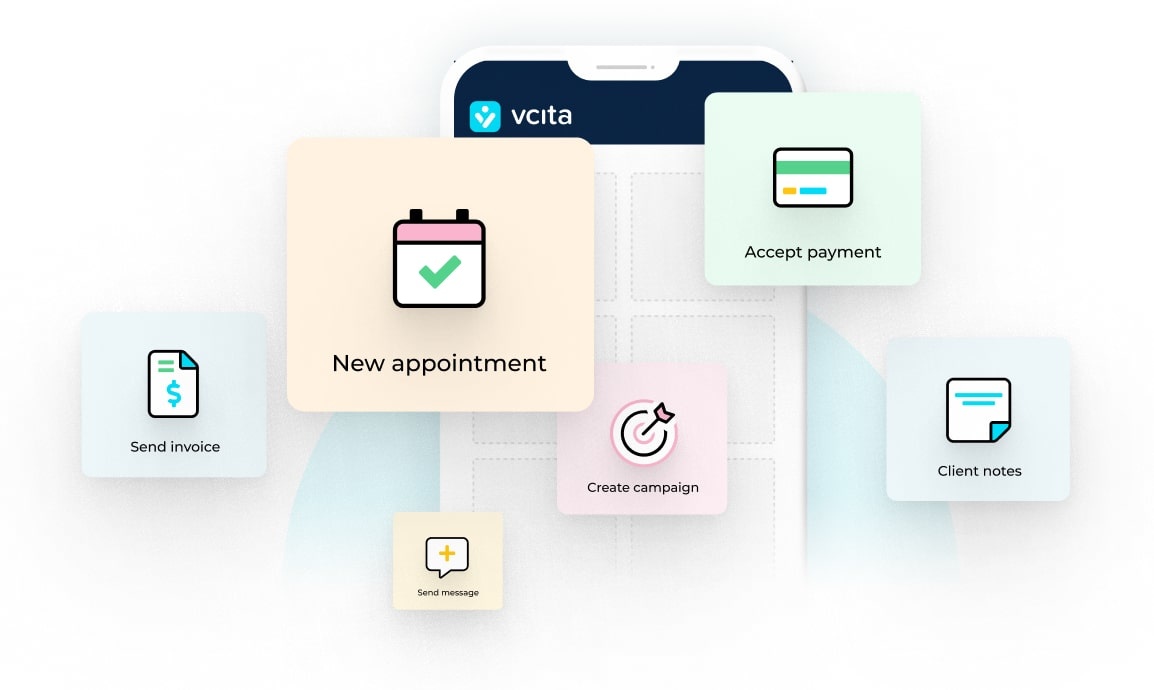
vcita’s small business management hub brings AI-powered tools for content creation, data management, lead management, communications, scheduling, invoicing, and cash flow to small and micro-business owners. You can use vcita’s AI to:
- Invite clients to book and reschedule their own appointments, then sync them to your calendar
- Send automated reminders about bookings
- Auto-populate CRM fields from unstructured data
- Segment clients and leads for targeted marketing
- Suggest follow-up actions for each client
- Draft emails, ads, social media posts, and more for you to approve and send
- Produce and send invoices
- Automatically send payment reminders
- Highlight clients who are most likely to pay late
This saves you time, improves efficiency, and makes your small business look more professional without a ton of extra resources.
How to choose AI Tools for your small business without losing your mind
With so many different tools available, it can get quite difficult to select the one that’s best for your business needs. To find a calm way through the forest of options, try this approach.
Begin with use cases, not tools
Clarify what you actually want:
- Fewer no-shows?
- Faster invoicing?
- More consistent marketing?
- Better client follow-up?
Next, search for tools that offer solutions to the problem, rather than looking for “AI” in general.
Key criteria to look for:
- Ease of use – Can you, your team, and others realistically use the tool on a day-to-day basis?
- Integration – Does it integrate with your calendar, CRM, and/or payments, or do you have to copy and paste everything?
- Data privacy and security – Does the vendor disclose the handling and storage of your data?
- Transparent pricing – No nasty surprises, clear plans and limits.
Read more: Best AI tools for small businesses
Red flags
- Tools that promise fully hands-off AI that runs your business for you
- No clear indication about the origin and use of the data
- Interfaces that seem like they were designed for developers rather than business owners
If you are already using a platform such as vcita that takes care of your scheduling, CRM, payments, and marketing, you’d do better to leverage its native AI functionality rather than integrating a host of standalone point solutions.
Implementation roadmap: getting started with AI in your operations
Deploy AI systematically, rather than adopting multiple solutions all at once. That means following this strategy:
Step 1: Define your purpose
Examples:
- Save 5 hours a week on admin.
- Reduce no-shows by 20%.
- Get invoices paid 7 days faster on average.
Step 2: Audit your workflows
Look for places where you:
- Copy-paste the same messages
- Manually enter data
- Chase people for replies or payments
These make excellent subjects for automation and AI.
Step 3: Select one pillar and identify two use cases.
Examples include:
- Marketing: AI-assisted email drafting + a basic nurture sequence.
- Scheduling: AI-based reminders + no-show follow-up flow.
- Finance: automatic invoicing + better reminders.
Step 4: Measure impact
Track:
- Time saved (even if estimated)
- Changes in bookings or show-up rate
- Faster payments or more predictable revenue
Step 5: Scale gradually
Once the first workflows are working well, you can:
- Expand to more campaigns
- Add more triggers and conditions
- Involve your team and establish some guidelines concerning appropriate use
The role of vcita in AI and small business operations
vcita was designed as an all-in-one management platform specifically for service-oriented SMBs. The goal is to enable SMB owners to manage scheduling, customer relationship management, payments, and marketing all in one place. AI is part of the platform to deliver:
- Services, campaigns, and messages supported by AI-assisted content
- AI-enabled features in the CRM that summarize conversation and suggests next actions
- AI-driven automation related to booking, reminders, follow-ups, and billing
- One system of record so AI isn’t guessing from incomplete information
Now, rather than having to manage different tools, you simply have AI integrated with the workflows you’re using in your business.
Ready to explore AI for your own operations?
You don’t have to become a tech expert to benefit from AI. You just need clear goals, the right starting points, and tools that are built for small service businesses, not for data scientists. If you’d like to see how AI could support your marketing, CRM, scheduling, and billing in one place, vcita is a good place to start.