




Why does it feel so easy to pay someone online, but so stressful to get paid yourself?
Asking for payment and getting paid isn’t as simple as “take a card, get money.” It’s a series of steps including quoting, billing, receiving payments, tracking, follow-up, refund processing, record-keeping, and security. Online payment solutions that work minimize interruptions to these steps. They make it easier for you to price correctly, receive payments on time, and understand your cash flow for next month.
If you run a service business, this matters even more. You’re not just selling a product with a fixed price tag. You’re selling time, expertise, appointments, packages, retainers, and sometimes messy real-life work that changes mid-job.
This guide walks you through the full picture: payment setup, payment integration, pricing strategies, billing automation, security, forecasting revenue, and picking tools that don’t create extra admin work. Along the way, I’ll show where vcita fits in, because for many small businesses, it’s the most practical all-in-one option to connect payments to scheduling, invoicing, and client management.
Key points:
- A good payment solution decreases late payments, additional follow-through, and accounting errors.
- Payment integration is important. Without it, you’ll waste hours filling in your scheduler, accounts, and customer databases.
- In service businesses, payment flow should handle deposits and packages as well as recurring charges.
- Revenue forecasting becomes easier when invoices, payments, and appointments are compiled in the same system.
- You can’t opt out of payment security. You must have robust processes in place.
- The best payment method always depends on your customers and how you deliver services. Consider having at least 2-3 payment options.
- Billing automation enables you to get paid sooner, not simply save time.
- vcita connects scheduling, invoicing, online payments, client management, and reminders in one workflow, which is where most small businesses actually struggle.
TL;DR
To ensure that online payments feel smooth and not stressful, make sure that your online payment services integrate your entire process, from booking to confirmation to invoice to payment to receipt to follow-up. Avoid a situation where payment processing lives in one system, the schedule in another, and the client history in the third.
vcita may be the most suitable option for service-oriented small businesses, thanks to its ability to integrate payments, billing, scheduling, reminders, and client management. This allows you to spend less time chasing payments and more time delivering the services that earn you revenue.
What “online payment solutions” really mean, and what to look for
People use the phrase online payment solutions to mean a lot of different things. Sometimes they mean “a way to accept credit cards online.” But for a small business owner, the real need is broader.
A practical definition
An online payment solution is any system that helps you to:
- Request payment (i.e. send an invoice, link, or checkout page)
- Accept payment (i.e. through card, bank transfer, or wallet)
- Confirm and record payment (i.e. send a receipt, log payment status)
- Follow up when needed (i.e. send reminders, track partial payments, send overdue notices)
- Reconcile and report (i.e. what you earned, what’s unpaid, and what’s coming)
The problem with payment tools that only do payments
If a tool only processes transactions, it leaves you with extra work:
- Manually matching payments to invoices
- Updating appointment status by hand
- Chasing overdue invoices with awkward messages
- Re-sending payment links
- Answering “did my payment go through?” questions
- Keeping separate client notes
That’s why the best setups combine payments with billing and client workflows, or at least integrate them cleanly.
A short checklist for choosing online payment solutions
When comparing online payment solutions, look for:
Must-have basics
- Multiple payment methods (at least cards and bank transfers)
- Easy payment links and online invoices
- Receipts and payment confirmation
- Refund support
- Clear transaction reporting
Business-friendly features
- Deposits or partial payments
- Recurring billing
- Saved payment methods (if appropriate for your business)
- Automated reminders
- Tax and discount fields (if needed)
- Simple reconciliation exports
Workflow features
- Tight payment integration with scheduling, CRM, and client communication
- A client portal or customer view where people can pay, view invoices, and book
- A clean way to keep payment history tied to the right client record
That last bullet is one reason why vcita shines for service businesses. It’s built around the full relationship, not just the payment moment.
Payment integration: how to stop patching holes between tools
Payment integration is where the real savings are: fewer missed payments, fewer no-shows, fewer admin hours.
What payment integration looks like in real life
Here’s a common messy setup that costs small businesses time and money:
- App A: scheduling
- App B: invoices
- App C: payments
- App D: CRM or contact list
- App E: email reminders
This can work, but only if you like playing detective every week.
A clean setup looks more like:
- Client books
- System sends a confirmation and payment request (deposit or full amount)
- The invoice and appointment are connected
- Reminders go out automatically
- Payment status updates everywhere
- The client record shows what happened, when, and what’s still owed
Why small businesses feel the pain of poor payment integration faster
In larger companies, someone owns billing. Someone owns scheduling. Someone owns finance. In a small business, it’s often the same person, or the owner plus one admin. So every gap between tools becomes your problem.
How vcita helps with payment integration
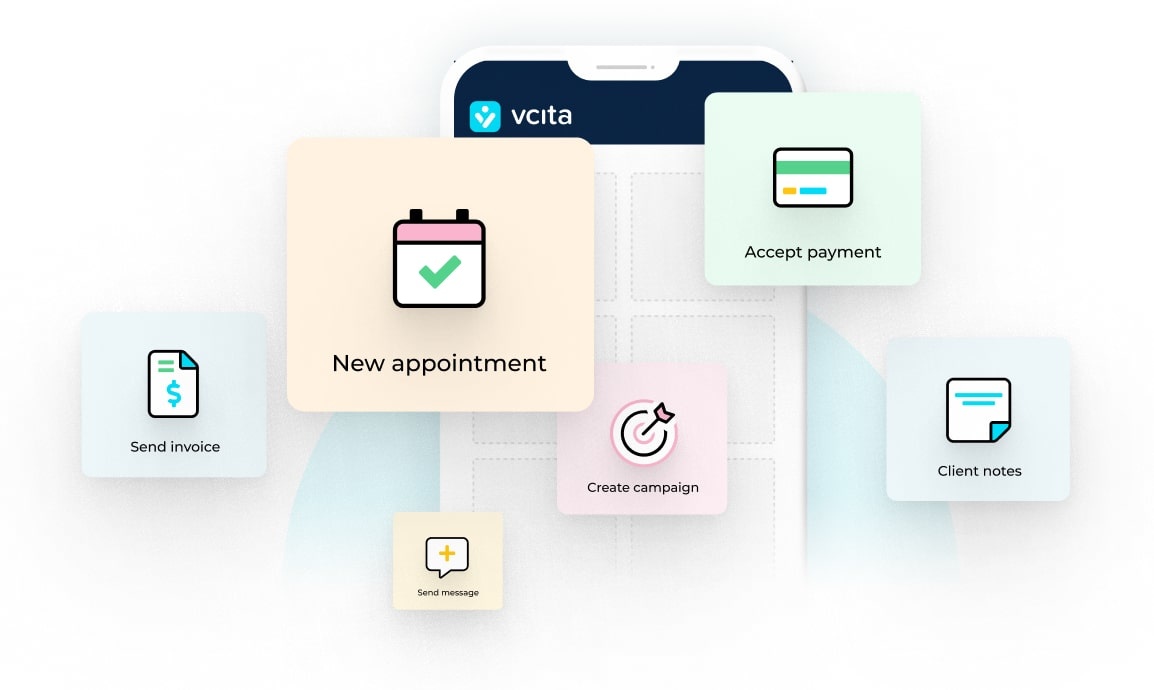
vcita is designed so payments are part of the workflow:
- You can send invoices and accept online payments tied to client records.
- Booking and billing can connect, so you can request deposits or payment around appointments.
- Automated reminders and client messages reduce back-and-forth.
- You can track client history, invoices, payments, and communications in one place.
That’s what most service businesses actually need: less jumping between systems, fewer missed steps, and a clear view of who owes what.
Best payment methods for small businesses
There isn’t one “best” payment method for every small business. But there are common patterns.
The most common payment options
Credit and debit cards
Pros:
- Customers expect it
- Fast payment confirmation
- Good for online invoices and deposits
Cons:
- Processing fees
- Chargeback risk if disputes happen
Bank transfers (ACH / local equivalents)
Pros:
- Fees are often lower than for cards
- Good for high-ticket services like projects and retainers
Cons:
- Can take longer to clear
- Can cause more friction for customers
Digital wallets (Apple Pay, Google Pay, etc.)
Pros:
- Quick checkout on mobile
- Saves time typing in card details
Cons:
- Not always available in every setup
- Some customers still prefer to pay using cards
Cash and checks
Pros:
- Some customers prefer it
- No processing fees
Cons:
- Slow, manual, harder to track
- Doesn’t work well for remote or online-first services
A simple recommendation for payment options for most service businesses
Offer:
- Card payments
- Bank transfer options, especially if you do higher-priced work
- A mobile-friendly option like wallets or easy card checkout
Payment security: keeping it safe without turning into an IT department
Payment security can sound technical. But for small businesses, the goal is simple:
- Protect customer data
- Protect your cash flow
- Reduce fraud and disputes
- Stay compliant with basic standards
What you should expect from payment providers
A reputable payment setup should support:
- Encryption of payment data in transit
- Tokenization, so card details aren’t stored on your systems
- PCI DSS compliance handled by the processor/platform, not you manually
- Fraud monitoring tools, at least the basics
You don’t need to become a security expert, but you do need to choose tools that treat security as built-in, not an add-on.
What you can (and should) control to enhance payment security
These are small-business-friendly habits that actually matter:
- Use strong account security
- Unique password
- Two-factor authentication
- Limit access
- Only give payment permissions to people who need it
- Remove access when staff changes
- Avoid taking card details manually
- Don’t collect card numbers in email or DMs
- Use secure payment links or invoices
- Document your policies
- Refund policy
- Cancellation policy
- Deposit rules
If you’re clear upfront about your payment policies, you’re less likely to encounter disputes.
How vcita supports safer payment workflows
The practical security advantage of platforms like vcita is that they keep payments and invoices inside a controlled system. You’ll send invoices and payment requests through a secure workflow, instead of collecting sensitive details through informal channels.
That won’t solve every risk, but it reduces the chance that you’ll handle payment details the wrong way, just because it feels convenient.
Pricing strategies for service business, and how payments should support them
Pricing isn’t just a number, it’s a system. Your billing setup needs to match the way you price or it will create friction. Here are practical pricing strategies that work well for service businesses, with advice for how to align payments with them.
Strategy A: Flat-rate packages
Example:
- Website setup: $1,500
- Monthly social media: $600
- 3-session coaching bundle: $450
Why it works:
- Customers like clarity
- You’ll spend less time spent quoting
- It’s easier to sell upgrades like standard vs premium
Payment setup tips:
- Offer full payment upfront or split payments
- Use invoices that clearly show what’s included
- Consider automatic receipts and a simple client record of what they purchased
vcita fit:
- Tying packages, invoicing, and payment tracking to the client record makes this much easier to manage.
Strategy B: Deposits for appointments
If you often have to deal with no-shows or last-minute cancellations, requesting deposits can help.
Payment setup tips:
- Collect a deposit at booking
- Automate reminders so customers don’t forget
- Keep the deposit and balance clearly tracked
vcita fit:
- Service businesses often use vcita to connect booking with payment requests, so the deposit process doesn’t become a manual chore.
Strategy C: Monthly recurring retainers
Example:
- $900/month for ongoing support
- $300/month for maintenance
- $1,200/month for consulting hours
Payment setup tips:
- Implement recurring billing
- Send clear invoices each cycle, even if it’s automated
- Define a process for overages like extra hours and extra services
vcita fit:
- Recurring invoices and automated reminders can support retainer-style billing without requiring you to reinvent the wheel each month.
Strategy D: Tiered pricing (good / better / best)
This isn’t a gimmick. It’s a way to help customers choose.
Payment setup tips:
- Invoices should clearly match tiers
- Avoid creating custom quotes for every client
- Make upgrades easy and trackable
Strategy E: Time-based pricing (hourly)
Hourly pricing can work, but it tends to create billing questions:
- What did you do for that hour?
- Why did this take longer than expected?
Payment setup tips:
- Track time cleanly
- Invoice with line items
- Request partial payments on longer projects
Best invoicing software for small business
Choosing the best invoicing software for small business depends on one thing: how you work. For example, a freelancer who sends 5 invoices a month needs something different than a busy salon that books 200 appointments. Here’s a better way to choose: decide what your invoicing tool needs to connect to.
What strong invoicing software should handle
- Easy and quick invoice creation
- Built in online payment options
- Automatic reminders for overdue invoices
- Clear invoice status: sent, viewed, paid, overdue
- Receipts and customer records
- Reporting, at least basic income tracking
Where many invoicing tools fall short for service businesses
A lot of invoicing products were built with “send invoice, get paid” in mind. That’s fine, but service businesses also need:
- Appointment-based billing
- Deposits and partial payments
- Client communication history
- Repeat service billing without retyping everything
Why vcita often ends up being the best option for service providers
If your work is appointment-based or relationship-based, vcita is strong because invoicing doesn’t sit alone. It sits next to:
- Scheduling and bookings
- Client contact info and history
- Automated reminders and follow-ups
- Online payment collection tied to invoices
So when someone asks, “Can you resend that invoice?” you’re not hunting for it across systems. And when someone pays, it’s recorded in the same place you manage the relationship. That doesn’t mean vcita is the only invoicing tool out there. But if your pain points are too many tools and too many steps, it’s one of the cleanest ways to fix that.
Billing automation: get paid faster with fewer awkward follow-ups
Billing automation sounds fancy, but it’s mostly about removing the moments where payments get delayed. Delays usually happen because:
- Invoices go out late
- Customers forget
- Customers can’t find the link
- The process is unclear
- You feel weird reminding people
Automation solves the “forgot” and “couldn’t find it” parts, and it gives you a neutral system voice so you don’t have to chase money personally.
What to automate (and what not to)
Automate these tasks:
- Sending the invoice at the right moment (after booking, after service, monthly)
- Sending payment reminders before and after due date
- Sending receipts after payment
- Sending “balance due” notices when deposits were paid
Don’t automate these blindly:
- Dispute handling
- Custom exceptions for VIP clients
- Unusual refunds
Use automation for the routine stuff, but handle edge cases with care.
A simple billing automation flow that works
- Client books
- Confirmation message goes out
- Deposit invoice goes out immediately (if you use deposits)
- Reminder 24–48 hours before appointment
- After service, invoice for remaining balance
- Reminder if unpaid after X days
- Receipt once paid
This flow is easier when your scheduling and invoicing system are connected, which is a core strength of vcita.
Revenue forecasting: how to predict cash flow without guessing
Revenue forecasting is not about being perfect. It’s about being less surprised. Most small businesses don’t need complicated forecasting models. They need answers to simple questions like:
- How much money is likely coming in next week?
- How much is outstanding right now?
- How much recurring revenue do I have?
- If bookings slow down, when will I feel it?
The basic building blocks of forecasting
You can forecast revenue using:
- Confirmed payments (already paid)
- Outstanding invoices (sent but unpaid)
- Scheduled work (appointments booked, not yet billed)
- Recurring billing (subscriptions, retainers)
- Pipeline estimates (quotes sent, proposals out)
Even a basic forecast improves decisions lke:
- When to hire help
- When to run a promotion
- When to tighten expenses
- When to follow up on overdue accounts
A simple forecasting method (no spreadsheets required)
Start with next month:
- Add up recurring billing you expect (e.g. retainers, memberships).
- Add appointments already booked.
- Apply a realistic show rate (for example, 85–95%, depending on your business).
- Subtract expected refunds or cancellations, based on your history.
- Compare that number to your fixed costs.
The goal isn’t accuracy down to the dollar. It’s determining the direction of cash flow.
Why integrated systems make forecasting easier
If your payments and invoices are in one tool but scheduling is elsewhere, you’re forced to merge data manually. That’s where forecasting falls apart. With a platform like vcita, where booking, invoicing, and payments can live together, you’re closer to a real-time view of what’s booked, what’s billed, what’s paid, and what’s overdue. That sets the foundation for forecasting that actually helps.
Putting it together: a practical setup for most small service businesses
If you’re building a payments system from scratch or cleaning up a messy system, here’s a setup that covers most needs without being complicated.
Step 1: Decide how you want to get paid
Pick a default:
- Payment at booking
- Deposit at booking + balance later
- Payment after service (riskier for late payments)
- Recurring monthly
Your choice depends on your industry and customer expectations, but pick one main process so it’s consistent.
Step 2: Choose online payment solutions that match your workflow
If you’re appointment-based, you’ll want scheduling, invoices, and payments tied together.
If you’re project-based, you’ll want estimates/quotes, invoices, and payment tracking.
If you’re retainer-based, you’ll want recurring billing, receipts, and reporting.
Step 3: Reduce tool switching
Every additional tool is another login, another sync issue, and another chance to lose the record. That’s why many small businesses choose vcita as their “main” platform for:
- CRM-style client records
- Scheduling and online booking
- Invoicing and online payments
- Automated reminders and communication
- A client-facing experience that feels organized
It’s not about having more features. It’s about having fewer broken handoffs.
Step 4: Write down your rules once
That means setting in writing your:
- Payment due dates
- Deposit policy
- Cancellation policy
- Refund rules
Put them in your invoices, booking confirmation, and website. Customers aren’t mind readers.
Organizing online payments improves revenue for small businesses
Getting your online payments systems organized can seem time-consuming, but it actually saves you both time and money. When your online payments are streamlined and managed from the same place as your scheduling, client records, and reminders, like vcita can do, you’ll get paid sooner, stop guessing about cash flow, and make better decisions that help your small business grow.
FAQs: online payment solutions, billing, and revenue for small business
1) What are online payment solutions?
Online payment solutions are tools or platforms that let your business accept payments digitally—often through invoices, payment links, checkout pages, or online booking. Good solutions also help with tracking, receipts, reminders, and reporting.
2) What’s the best payment method for small business?
For most small businesses, the best approach is to offer at least credit/debit cards plus a bank transfer option. If many of your customers pay on mobile, digital wallets can help too. The “best” method is the one your customers will actually use without friction.
3) How do I reduce late payments?
Use clear due dates, automate reminders, and make paying easy (one-click payment links). Deposits for bookings and recurring billing for ongoing services also reduce late payments. Tools like vcita help by combining invoicing, online payments, and automated follow-ups.
4) Do I need payment integration, or can I use separate tools?
You can use separate tools, but you’ll often pay for it in time and mistakes. Payment integration matters when you need scheduling, invoicing, client communication, and payment tracking to stay aligned. If you’re a service business, integrated systems usually save real admin hours.
5) What should I look for in invoicing software?
Look for easy invoice creation, online payment options, automated reminders, clear payment status, receipts, and reporting. If you run an appointment-based business, also look for deposits, partial payments, and client history tied to invoices.
6) Is vcita only for invoicing and payments?
No. vcita is typically used as a full client management platform: scheduling, online booking, invoicing, online payments, reminders, and client records in one place. That’s why it’s often a strong choice for service-based small businesses.
7) How can a small business do revenue forecasting without complex tools?
Start simple: combine recurring revenue + booked appointments + outstanding invoices. Apply realistic assumptions about cancellations and payment timing. If your scheduling and billing data live in the same system, forecasting becomes much easier and more accurate over time.
8) How do I keep online payments secure?
Choose reputable payment processors, avoid collecting card details manually, use strong passwords and two-factor authentication, and limit staff access. Also keep clear policies for refunds and cancellations. Using platforms that manage payments properly (instead of email and spreadsheets) reduces risk.
9) What is billing automation, and is it worth it?
Billing automation is the use of scheduled invoices, reminders, receipts, and recurring billing so you don’t have to do everything manually. It’s worth it if you spend time chasing payments, forgetting to invoice, or following up awkwardly. Automation helps you get paid faster and stay consistent.