




Quick question: if you lost the notebook where you track clients, invoices, and to-dos, how much would you actually lose?
If your answer is “a lot,” you’re not alone. Many small business owners still rely on paper, scattered files, and memory. It works until it doesn’t. Then a missed appointment becomes a bad review. An unbilled job becomes lost revenue. A forgotten follow-up becomes a churned client.
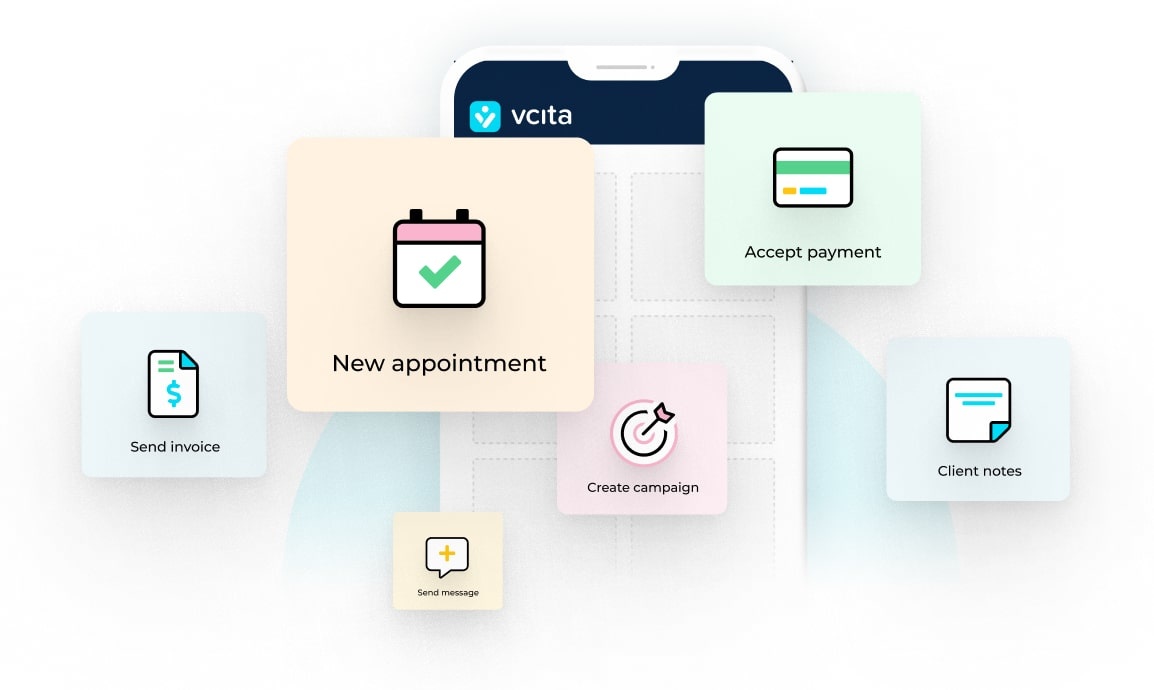
Here’s the good news: moving from paper to digital doesn’t have to take months, a consultant, or a big budget. You can get the basics in place within a few days. This guide shows you a simple path, using tools that fit how small service businesses work. I’m going to call out vcita a lot, because it combines scheduling, CRM, invoicing, payments, and a client portal which centralizes scheduling, payments, document sharing, and messages. That means less switching between apps and fewer headaches, which is the whole point here.
Paper to digital – key points
- You can move from paper to digital in three days with focused steps.
- Start with a single source of truth (simple CRM + client portal).
- Turn on online booking, intake, reminders, and a clean reschedule flow.
- Standardize invoices, enable online payments, and set automatic reminders for unpaid bills.
- vcita combines the essential tools, so you setup once and reap the benefits daily.
TL;DR
Ditch paper by creating a simple digital flow in one place for client info, bookings, and billing. That involves launching a client portal, letting people book and complete intake online, sending digital invoices and accepting online payments. Then you can automate reminders and review your dashboard weekly. vcita is a practical choice because it bundles these steps into one system built for small businesses, so you can set it up fast and keep it simple.
The paper to digital plan in plain English
You’ll convert the core parts of your workflow, like contacts, scheduling, intake, invoicing, payments, and follow-ups, into a single digital flow. Do it in three sprints:
- Day 1: Set up your client hub (CRM + client portal) and bring in your contacts.
- Day 2: Turn on online scheduling, intake forms, and reminders.
- Day 3: Switch your invoices and payments to digital, and set basic automations.
By the end, your clients can book, pay, send info, and talk to you without email ping-pong, and you’ll have clean records and less manual work. And yes, this is realistic for a solo owner or a small team.
Day 1: Create a single source of truth
1) Pick your system.
You want one login where you can see every client, appointment, invoice, message, and file. A “simple CRM” is enough—you don’t need enterprise features or jargon. vcita is built for service businesses and keeps things easy: client profiles, timelines, notes, tags, and quick actions. If you’ve been avoiding CRMs because they feel heavy, look for a clean interface and basic fields you’ll actually use.
2) Import contacts.
Grab your current contact lists, whether they’re in spreadsheets, phone contacts, or your email address book. Clean obvious duplicates and import, without overthinking fields. Start with name, email, phone, and last service. You can add more later.
3) Launch your client portal.
A client portal lets people self-serve: book, pay, send documents, ask questions. It’s open 24/7 and makes you look polished without extra staff. Turn it on, add your logo and brand color, and choose what clients can do inside (like book, view invoices, pay, upload files, etc.). This is the fastest step that gives the biggest “whoa, they’re organized” signal to clients.
4) Centralize communication.
Stop threads from living in personal email or WhatsApp. Use your system’s messaging or portal inbox, so every note stays tied to the right client. Later, when you need history, it’s there—no digging.
Keep it simple: if you find yourself adding a field you won’t use, delete it. Clarity beats complexity.
Day 2: Make scheduling and intake automatic
1) Publish online booking.
Set your business hours, appointment types, durations, buffers, and policies, and turn on booking confirmations and reminders. Then add the booking link to your website, email signature, and social profiles. With vcita, you can let clients book anytime and send automated reminders to reduce no-shows.
2) Add intake forms.
For each service, add the questions you normally ask by phone or text, like client goals, preferences, allergies, files, or budget. Keep it short; you can always ask for more through follow-ups. Intake forms inside your booking flow mean you get the details before the meeting, not after. (vcita includes intake and booking options that you can tweak without tech help.)
3) Use reminders the right way.
Enable email and SMS reminders for upcoming appointments. Keep the message short and include reschedule links so you’ll have fewer “Hey, can we move this?” calls and more appointments that happen. Over time, you’ll see lower no-show rates.
4) Offer a simple reschedule path.
Life happens. Give clients a link to change their time without calling you. It sounds small, but it saves you from phone tag.
Day 3: Turn billing into a smooth, digital flow
1) Standardize your invoices.
Create a clean invoice template with your logo, payment terms, and usual services. Save common line items (e.g., “Consultation – 60 minutes,” “Follow-up session,” “Travel fee”). Good invoicing habits get you paid faster and improve cash flow.
2) Take online payments.
Clients want options they already use on other sites, so offer card, digital wallets, or pay-by-link, with a mobile-friendly checkout. Pick a provider that’s secure and easy to use. vcita supports online payment collection and makes “view invoice → pay” a one-click step inside the portal.
3) Automate the boring parts.
Turn on automatic reminders for unpaid invoices and recurring invoices for repeat work. Set payment receipts to send automatically. A few toggles here can save hours per month. If you sell packages or memberships, connect scheduling and payments so clients can book against their balance. vcita supports package sales and integrated scheduling + payments, which removes the extra “can I pay later?” loop.
4) Track what matters.
Open your dashboard weekly to check outstanding balances, paid invoices, upcoming appointments, and recent messages. You don’t need a finance degree, just a quick checkup. In a small business, cash flow is confidence.
Optional upgrades (once the basics run)
- Saved replies and templates. Create quick replies for queries like “pricing,” “reschedule,” and “what to bring.”
- Tags and segments. Tag VIPs, repeat buyers, or leads by service type for faster filtering.
- Follow-up prompts. After each job, send a thank-you, request a review, or suggest the next service.
- Document vault. Keep estimates, before/after photos, and signed agreements attached to each client record.
Common roadblocks (and simple fixes)
“I don’t have time to set this up.”
You don’t need a full rebuild. Take 90 minutes a day for three days, starting with the client portal and booking link. That alone reduces admin while you sleep.
“My clients aren’t techy.”
Most people can click a link, pick a time, and pay. If someone prefers a call, you can book for them from your end. The key is giving a simple default path that works for most.
“I’m worried about payments online.”
Use a reputable provider with secure processing and clear policies. Offering online options tends to speed up payment and lowers awkward chasing. vcita’s payment features are designed for small businesses that need quick, secure checkout.
“Invoices are messy at month-end.”
That’s usually a mix of late sending, missing items, and manual reminders. A standard template + automated nudges solves most of it, because clear invoices get paid faster.
“I’m not sure which CRM features I need.”
Start small: contacts, notes, history, appointments, and billing in one timeline. A simple, cloud-based CRM is enough, and avoid tools that push you into complex sales pipelines you won’t use.
A quick, real-world example flow
- A client clicks “Book now” on your website and chooses “Initial Consultation – 45 minutes.”
- They fill a short form: goals, budget range, preferred times.
- They get an instant confirmation and a reminder before the meeting.
- You meet. Notes go into their client record.
- You click “Create invoice” from the client timeline, it gets sent by email, and appears in their portal.
- They pay online. You both get receipts.
- A week later, your system sends a short follow-up and offers a package with a built-in discount.
- They buy the package and book their next session from the portal.
No paper. No clipboards. No “Did you get my email?” loop.
Why vcita is a strong fit for this paper to digital shift
You could stitch together separate apps for scheduling, CRM, invoicing, payments, and a client portal. It can work, but it’s more setup, more costs, and more places for things to break. vcita rolls these into one platform built for small service businesses. You get:
- A client portal clients actually use for booking, paying, messaging, and document sharing.
- A simple CRM that doesn’t drown you in features you won’t touch.
- Invoicing and billing that connect to scheduling and client profiles.
- Online scheduling with reminders and intake forms, so you show up prepared.
- Options to streamline invoice processing and reduce manual work as you grow.
If you’re trying to go paper-light in days, fewer tools is the fastest path.
The digital transformation can take just three days
It might sound crazy, but it’s really possible to move your small service business processes to digital and automated in just three days. Focusing on small shifts like building a single source of truth, allowing clients to self-serve, and automating reminders, recurring invoices, and receipts saves you an enormous amount of time and keeps your small business competitive.
FAQs
Q: I already use Google Calendar. Do I still need scheduling software?
A: You can keep Google Calendar for your personal schedule. Scheduling software adds client self-booking, intake forms, reminders, and payments, all tied to client records. That’s what turns “a calendar” into “a process.” vcita does this without extra work.
Q: What if clients ignore the portal?
A: Make it the default path. Add the link to your website, signature, and texts. Mention, “For booking and payments, please use the portal.” Most people follow the easiest route. Over time, more and more activity happens there.
Q: Are online payments worth the fees?
A: Usually, yes. Faster payments, fewer trips to the bank, better records, less chasing, and reduced errors from manual entry. The time you save often outweighs fees. vcita supports smooth online payment collection inside the same system as your invoices.
Q: I’m not confident with new software. How hard is setup?
A: Focus on the basics: import contacts, set your hours, add two services, create one invoice template, and publish your booking link. You can expand later. vcita’s help guides walk you through booking options and setup step by step.
Q: Can I still take phone bookings?
A: Sure. Book on a client’s behalf from your side. The key is that the booking lands in the same system, triggers reminders, and shows up in their portal. You want to keep everything in one place.
Q: What about invoices for repeat clients?
A: Use recurring invoices or packages. This avoids rebuilding bills every time and reduces “Did you send the invoice?” messages. vcita supports memberships, packages, and integrated payments.